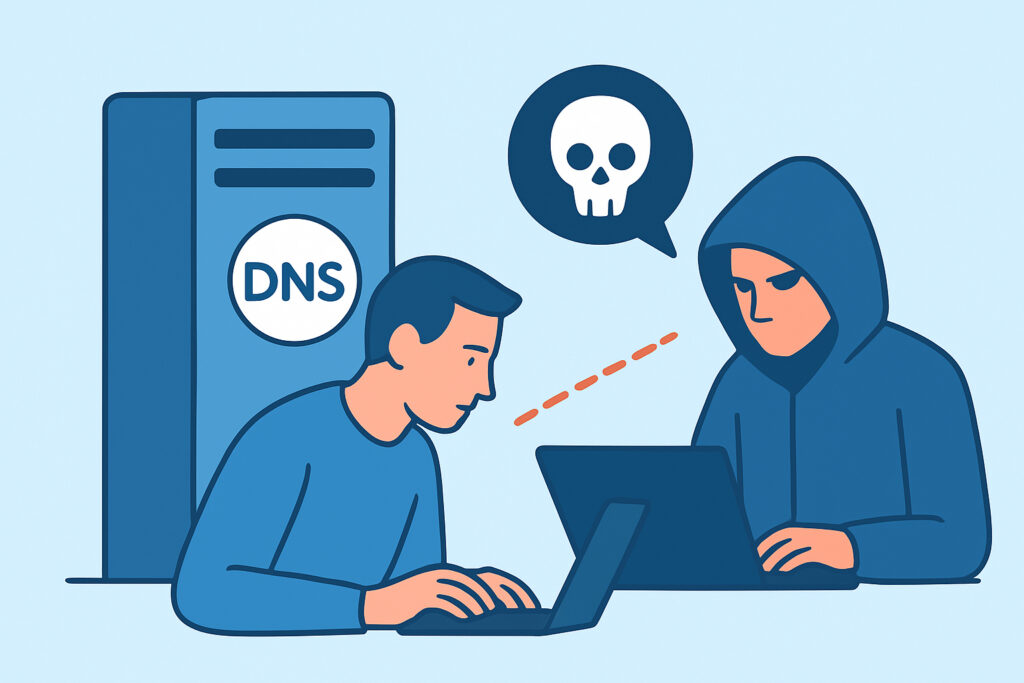
Running a DNS server on a public IP means port 53 is listening on the open internet, and if that server answers recursive queries for anyone, attackers will find it and use it for open resolver abuse. This article covers which DNS server ports matter, how open resolvers get turned into DDoS amplifiers, how to test your own exposure from the outside, and which configuration changes close the hole without breaking legitimate resolution.
The benefit is concrete. A misconfigured resolver can push hundreds of megabits of attack traffic out of your server, get your IP range blocklisted, and earn you an abuse ticket or a suspended account from your hosting provider. All of it is preventable with a few lines of configuration.
Which DNS Server Ports Are Actually in Play
Classic DNS runs on port 53 over both UDP and TCP. UDP handles most queries. TCP is used for zone transfers (AXFR/IXFR) and for any response too large for a single UDP datagram, which has become more common since DNSSEC signatures started making responses bigger.
Encrypted DNS adds two more: DNS over TLS on TCP 853 (RFC 7858) and DNS over HTTPS on 443 (RFC 8484). Many servers also expose a control channel. BIND’s rndc listens on TCP 953, and Unbound’s unbound-control uses TCP 8953. Both should only ever bind to localhost.
Because so much of DNS runs over UDP, how you scan for it matters a lot. UDP probes behave very differently from TCP probes, and a TCP-only scan will miss an exposed resolver entirely. The differences are covered in more detail in TCP vs. UDP port risks.
How Open Resolver Abuse Works
An open resolver is a recursive DNS server that answers queries from any source IP. The abuse depends on UDP having no handshake. An attacker sends a small query with the source address spoofed to the victim’s IP, and your resolver sends the much larger answer to the victim.
A 60-byte query for a record type with a large response, such as ANY or a DNSSEC-signed DNSKEY set, can produce 3,000-4,000 bytes in return. US-CERT’s alert TA13-088A estimated DNS amplification factors at roughly 28-54x. Multiply that by thousands of open resolvers and you get attacks like the one against Spamhaus in March 2013, which peaked around 300 Gbps and relied heavily on open DNS resolvers.
The resolver owner is not the target, but they still pay. Their outbound bandwidth fills up, legitimate queries time out, and their IP shows up in Shadowserver’s daily open resolver reports, which go out to network owners and national CERTs.
A Familiar Scenario
The pattern repeats constantly. A team runs Unbound on a cloud VM so containers get fast, cached resolution. Something breaks with Docker networking, someone finds a forum answer, and access-control: 0.0.0.0/0 allow ends up in unbound.conf. Resolution works again, and nobody touches it for months.
The security group was left open on UDP 53 “just in case.” Within days, the resolver is on scan lists. Weeks later outbound traffic sits at 200-400 Mbps, the hosting provider forwards an abuse report, and the instance gets network-throttled until the problem is fixed. The fix takes two minutes. Finding the cause takes an afternoon, because nobody connects the slow API responses to DNS.
Testing Your DNS Exposure from the Outside
An experienced network engineer always tests from outside the network. Internal tests are misleading because your own subnets are usually on the allowlist. These are the steps:
1. From a host outside your network, run dig @YOUR_IP example.com A +recurse. If you get an answer section with status NOERROR and the “ra” flag, the server is resolving for strangers.
2. Run nmap -sU -p 53 –script dns-recursion YOUR_IP to confirm with a second tool.
3. Check TCP 53 and test zone transfers: dig @YOUR_IP yourdomain.com AXFR. If it returns your whole zone, transfers are unrestricted.
4. Scan TCP 953, 8953 and 853 to make sure control and encrypted channels aren’t reachable.
5. Compare the results against your firewall policy, then repeat after every change.
Step 5 matters most. Security groups, host firewalls and upstream ACLs can disagree with each other, and only an external scan shows what actually gets through. The method is laid out in validating firewall rules with external port scans.
Locking Down Recursion and Port 53
Start by deciding what the server is for. An authoritative server answers for your own zones and should never recurse. A recursive resolver serves your own clients and should never answer the internet. Running both roles on one daemon is where most of the trouble starts.
In BIND 9, an authoritative-only server needs recursion no; in its options block, and allow-transfer restricted to secondary server IPs or a TSIG key. A resolver gets allow-recursion and allow-query-cache limited to your internal ranges. Since BIND 9.4.1 the default is localnets and localhost, but explicit ACLs survive the next administrator’s edits. In Unbound, set access-control to refuse everything except your subnets, and set interface to private addresses only. On Windows DNS Server, disable recursion on internet-facing instances or bind the service to internal interfaces.
There’s one exception. An authoritative server has to keep UDP and TCP 53 open to the world, because answering public queries is its job. For these servers, enable Response Rate Limiting (available in BIND since 9.10, and in Knot DNS and NSD) and follow RFC 8482 minimal ANY responses. That reduces their usefulness as reflectors without hurting real resolvers.
Common Mistakes That Keep Resolvers Open
The first mistake is scanning only TCP. Plenty of audits report “port 53 closed” because the scanner never sent a UDP probe, while the resolver happily answers spoofed UDP queries. The same blind spot shows up with other UDP amplifiers, as covered in Memcached exposure and amplification risk.
The second is forgetting about resolvers nobody remembers installing. dnsmasq comes bundled with libvirt, Pi-hole, and many router and VPN appliances. A Pi-hole on a VPS with “Permit all origins” enabled is a classic open resolver. systemd-resolved’s stub on 127.0.0.53 is fine, but a custom DNSStubListenerExtra pointing at 0.0.0.0 is not.
The third is treating the abuse report as the detection method. By the time a CERT notifies you, your IP may already be on blocklists that take 1-3 weeks to clear.
Myth: Authoritative-Only Servers Can’t Be Abused
Turning off recursion does stop open resolver abuse, but it doesn’t make a public DNS server harmless. Authoritative servers can still reflect traffic. A DNSSEC-signed zone with large DNSKEY records can amplify 30x or more without any recursion at all. Turning off recursion removes the worst case, and rate limiting covers the rest.
There’s a related myth that small servers are too obscure to be found. Internet-wide scanners like Shadowserver and Censys sweep all of IPv4 for UDP 53 continuously, and attackers run the same sweeps. A newly exposed resolver usually starts getting probed within hours.
FAQ
Should I block TCP port 53 if my server only needs UDP?
No. RFC 7766 requires DNS implementations to support TCP, and truncated responses fall back to it. Restrict what TCP can do (zone transfers) instead of blocking it.
Does moving DNS to a non-standard port prevent open resolver abuse?
Barely. Clients expect port 53, so it breaks legitimate use, and scanners that sweep all 65,535 ports with DNS service detection will find it anyway.
Is DNS over HTTPS on port 443 an amplification risk?
Not in the same way. It runs over TCP and TLS, so the handshake rules out source address spoofing. Restrict who can use it anyway, since an open DoH endpoint can still be used to bypass network filtering.
Final Takeaways for DNS Operators
Decide whether each DNS server is authoritative or recursive, and configure it for that one role. Limit recursion to your own address ranges, restrict zone transfers, keep control ports on localhost, and enable rate limiting on anything that has to answer the public. Then test UDP and TCP from outside the network after every change, because one copied config line is enough to turn a resolver into someone else’s attack infrastructure.