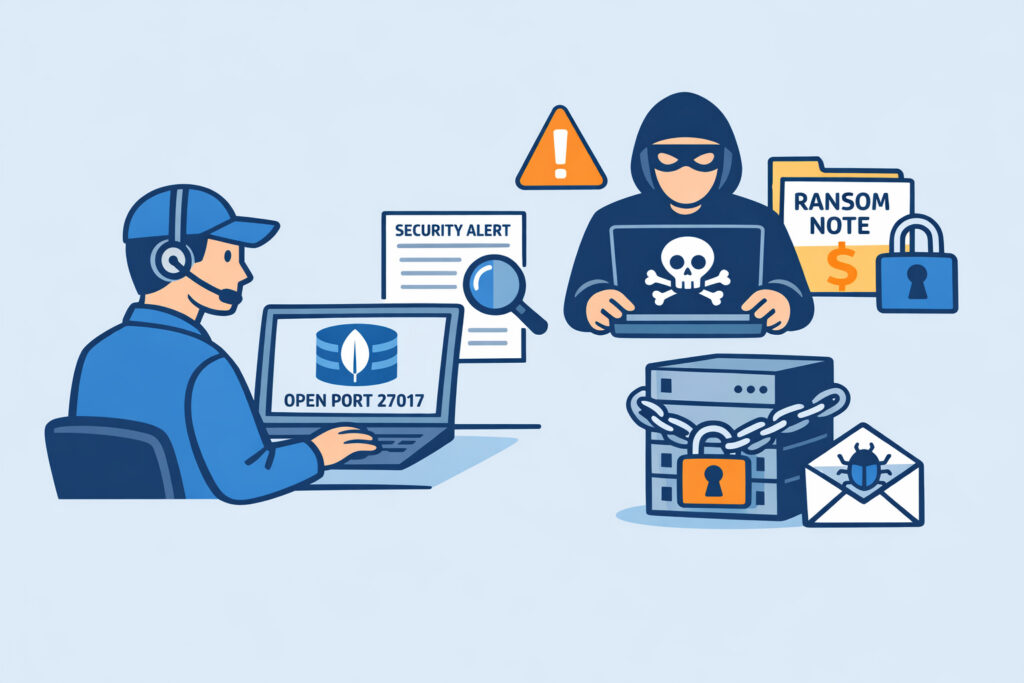
MongoDB port exposure has become one of the most exploited attack vectors in recent years, fueling a wave of ransomware attacks that have wiped databases clean and left thousands of organizations scrambling. If you run MongoDB in any capacity – whether it’s a small development instance or a production cluster – understanding how port exposure leads to compromise is essential for protecting your data.
How MongoDB Became a Ransomware Magnet
The problem started years ago, but it never really went away. MongoDB’s default configuration listens on port 27017 and, in older versions, bound to all network interfaces with no authentication enabled. That combination was catastrophic. Attackers didn’t need sophisticated exploits – they simply connected, dumped the data, dropped a ransom note in a collection called “README,” and moved on to the next target.
The first major wave hit in early 2017. Automated scripts scanned the entire IPv4 address space for port 27017, found tens of thousands of exposed instances, and wiped them in hours. Some attackers didn’t even bother copying the data before deleting it – they just left a Bitcoin address and hoped the victim would pay. By some estimates, over 28,000 MongoDB instances were compromised in a matter of weeks.
The scary part? This still happens. I’ve seen organizations in 2025 and 2026 spinning up cloud instances with MongoDB exposed on its default port, no firewall rules, no authentication. The speed at which automated scanners find these instances is measured in minutes, not days.
Why Port 27017 Gets Found So Fast
Attackers use mass scanning tools that can sweep the entire internet in under an hour. When your server exposes port 27017 to the public internet, it’s not a question of if it gets discovered – it’s a question of how quickly.
Here’s a typical timeline for an unprotected MongoDB instance:
Within 5–15 minutes of going live, automated scanners detect the open port. Within an hour, bots attempt to connect and enumerate databases. If no authentication is set, data exfiltration or deletion begins almost immediately. Some attackers leave ransom notes demanding 0.1–0.5 BTC. Others simply destroy everything.
The tools attackers use aren’t secret. Shodan, Censys, and Masscan make it trivial to locate exposed database ports like those used by PostgreSQL, MySQL, and MongoDB. The difference between a legitimate security researcher and a criminal is intent – the scanning technique is identical.
The Anatomy of a MongoDB Ransomware Attack
Understanding the attack chain helps you defend against it. Here’s how a typical MongoDB ransomware operation works:
Step 1 – Reconnaissance. The attacker scans large IP ranges for port 27017 responses. The MongoDB wire protocol responds with identifiable banners, making service detection straightforward.
Step 2 – Connection attempt. The attacker connects using a standard MongoDB client. If authentication isn’t configured, they’re in. No exploit needed, no vulnerability required – just a misconfiguration.
Step 3 – Data theft or destruction. The attacker exports collections to their own server (sometimes), then drops every database. They create a new database – often named “WARNING” or “PLEASE_READ” – containing a single document with ransom instructions.
Step 4 – Repetition. Automated scripts repeat this process against every vulnerable instance found during the scan. A single attacker can compromise hundreds of databases in a day.
One common mistake I’ve seen: organizations assume their MongoDB instance is “too small” or “unimportant” to be targeted. Automated attacks don’t discriminate. A bot doesn’t care whether your database holds customer payment records or test data – it wipes everything.
Myth: Changing the Default Port Protects You
This one keeps coming up. Moving MongoDB from port 27017 to some random high port like 49152 does almost nothing meaningful. Comprehensive port scans check all 65,535 ports, and service fingerprinting techniques will identify MongoDB regardless of which port it runs on. The protocol handshake gives it away instantly.
Changing the port might slow down the laziest scripts by a few hours. It is not a security control. Treat it as mild obfuscation at best – never as a replacement for authentication and proper network restrictions.
How to Actually Protect Your MongoDB Instances
Enable authentication immediately. MongoDB supports SCRAM authentication out of the box. There is no excuse for running without it. Create an admin user, enable the authorization setting in your mongod.conf, and restart the service. This single step would have prevented the vast majority of ransomware attacks.
Bind to localhost or specific IPs. In your configuration, set bindIp to 127.0.0.1 or the specific internal IP addresses that need access. Never bind to 0.0.0.0 unless you have firewall rules tightly controlling access.
Firewall rules are mandatory. Even with authentication enabled, there’s no reason to expose port 27017 to the entire internet. Restrict access to specific IP addresses or ranges. If developers need remote access, route them through a VPN or SSH tunnel.
Monitor your external attack surface. You can’t fix what you don’t know about. Continuous automated port monitoring catches situations where a misconfigured deployment, a changed firewall rule, or a new cloud instance accidentally exposes database ports. PortVigil scans your public IPs and alerts you when unexpected ports appear – including database ports that should never face the internet.
Enable TLS encryption. Even on internal networks, encrypting MongoDB connections prevents credential sniffing. Configure TLS certificates and require encrypted connections in production.
Regular backups with offline copies. Ransomware only works as leverage when you have no alternative. Automated daily backups stored in a location the MongoDB instance can’t reach – that’s your insurance policy.
Cloud Environments Are Not Immune
A dangerous assumption I’ve encountered: “We’re on AWS/Azure/GCP, so we’re secure.” Cloud providers give you the tools, but the configuration is your responsibility. Default security groups in AWS, for instance, can be overly permissive if you’re not careful. I’ve seen teams open port 27017 in a security group “temporarily” for debugging, then forget about it for months.
Cloud deployments actually increase the risk in some ways. Elastic IPs get recycled, meaning a previously exposed IP might already be on attacker watchlists from prior compromises. Automated scaling can spin up new instances that inherit insecure configurations. Without external scanning that validates what’s actually visible from the internet, these gaps go unnoticed.
FAQ
Can I recover data after a MongoDB ransomware attack without paying?
In most cases, no – not from the attacker. Many ransomware operators never actually copy your data; they just delete it and leave a ransom note. Paying rarely results in data recovery. Your best option is restoring from backups. If you don’t have backups, check whether your hosting provider offers storage-level snapshots that might contain a pre-attack copy.
Is MongoDB less secure than other databases?
MongoDB itself isn’t inherently less secure. The problem was its historically permissive default configuration – no authentication required, binding to all interfaces. Recent versions (4.0+) have improved defaults significantly, but legacy deployments and careless configurations remain widespread. PostgreSQL and MySQL have had similar exposure issues when misconfigured, though MongoDB’s scale of compromise was uniquely large.
How quickly should I respond if I detect port 27017 exposed externally?
Immediately. Given the speed of automated scanning, an exposed MongoDB port can be discovered and exploited within minutes. If you detect an unintended exposure through port monitoring alerts, close the port at the firewall level first, then investigate why it was open. Don’t wait for a change window – this is an emergency.
The MongoDB ransomware epidemic taught the industry a brutal lesson about default configurations and exposed ports. The technical fixes are straightforward – authentication, network restrictions, monitoring. The hard part is making sure every single deployment follows these practices, every time, without exception. Automated external scanning is the safety net that catches the inevitable human mistakes before attackers do.