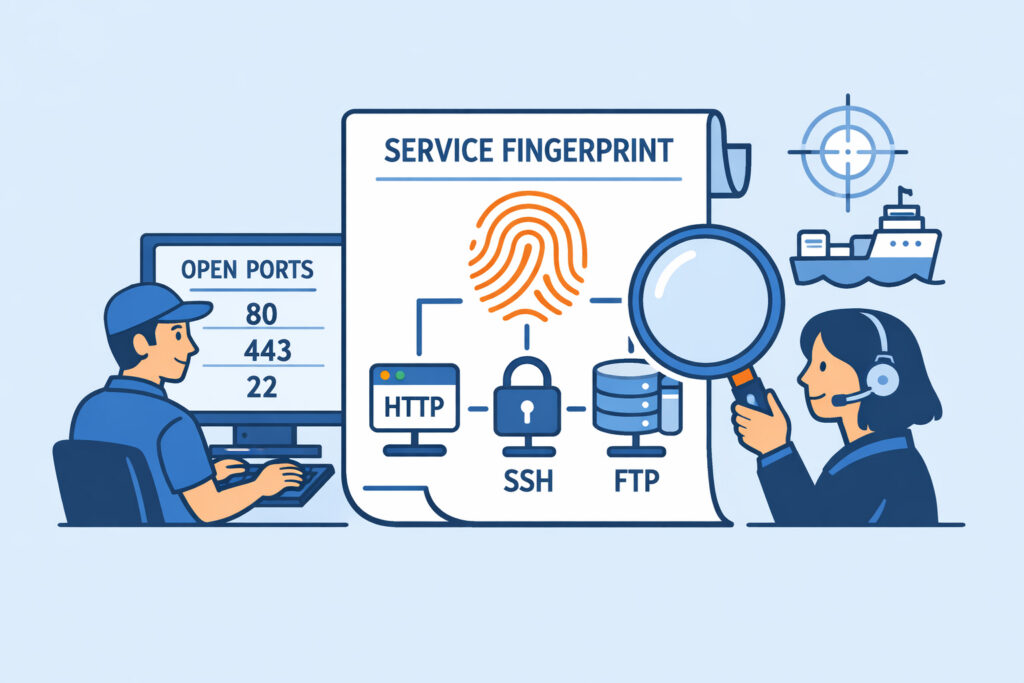
You manage servers – maybe a handful, maybe hundreds. You know which ports should be open. But do you know exactly what software is responding on each one, down to the version number? Service fingerprinting in port analysis is the technique that answers that question, and it’s one of the most underused tools in a defender’s arsenal. If you’re running external scans and only checking whether a port is open or closed, you’re leaving critical intelligence on the table.
Service fingerprinting goes beyond simple port state detection. It actively probes the services listening on open ports, analyzes their responses, and identifies the exact application and version running behind each one. This is how you find out that port 443 isn’t just “open” – it’s running OpenSSL 1.1.1k on nginx 1.18.0, and that particular combination has a known vulnerability you haven’t patched.
How Service Fingerprinting Actually Works
When a scanner connects to an open port, the service behind it usually responds with some kind of banner or handshake. A basic scan stops there – port open, move on. Fingerprinting takes it further.
The scanner sends crafted probes – specific byte sequences designed to elicit unique responses from different applications. An SSH server responds differently than a web server, even if both are running on non-standard ports. The scanner compares these responses against a database of known signatures and determines what’s running.
There are two main approaches. Banner grabbing is the simpler one – it reads the initial response a service sends when you connect. Many services voluntarily announce themselves: “SSH-2.0-OpenSSH_8.9p1” or “220 Postfix ESMTP.” This is low-effort and surprisingly effective, but it relies on the service not hiding its identity.
Active probing goes deeper. It sends protocol-specific requests and analyzes the exact format, timing, and content of responses. Even if you’ve stripped banners from your nginx server, the way it handles malformed HTTP requests or specific header combinations can still reveal what it is. This is the same technique attackers use during reconnaissance – which is exactly why defenders need to understand it.
Why Knowing the Version Matters More Than Knowing the Port
Here’s a scenario most sysadmins have lived through. You inherit a server from a colleague who left. The firewall rules show ports 22, 80, 443, and 8080 open. Port 8080 was “for the API.” But what API? What framework? What version?
A fingerprinting scan reveals port 8080 is running Apache Tomcat 8.5.31 – a version with multiple known CVEs, including a remote code execution vulnerability. Without fingerprinting, that port is just “open.” With it, you know you have an urgent problem.
This is exactly what PortVigil does with every scan. It doesn’t just tell you a port is open – it identifies what’s listening and cross-references that against CVE databases to flag real, actionable risks. The difference between “port 3306 is open” and “port 3306 is running MySQL 5.7.29 with three unpatched CVEs” is the difference between awareness and action.
The Myth: “Changing the Port Number Hides My Service”
Let’s put this one to rest. Moving SSH from port 22 to port 2222 or running your admin panel on port 9443 instead of 443 does not hide what the service is. It reduces automated bot noise – that’s it.
Service fingerprinting doesn’t care what port number you’ve chosen. It analyzes the actual protocol behavior. Your SSH daemon on port 50022 still responds like an SSH daemon. An attacker running even a basic fingerprinting scan will identify it in seconds. Security through obscurity is not security – it’s a delay tactic at best. Combine non-standard ports with actual hardening measures, not as a replacement for them.
Practical Steps to Use Fingerprinting Defensively
Step 1: Run external fingerprinting scans regularly. Internal scans are useful, but they don’t show what the internet sees. An external scan from a service like PortVigil reveals your actual attack surface – including services exposed by misconfigured firewall rules or cloud security groups you didn’t know about.
Step 2: Compare results against your documented port policy. If you’ve properly documented what should be running and on which ports, fingerprinting results give you an instant diff. Anything unexpected is either a misconfiguration or a compromise indicator.
Step 3: Check detected versions against known vulnerabilities. Every identified version should be checked against current CVE data. Automate this where possible – manual checks don’t scale and lag behind disclosure timelines.
Step 4: Minimize information leakage. While you can’t fully prevent fingerprinting, you can reduce what you give away for free. Strip version numbers from HTTP response headers. Disable SSH banners. Configure services to reveal as little as possible. This forces attackers to use noisier active probing, which gives your detection systems more to work with.
Where Fingerprinting Fits in Your Security Workflow
Service fingerprinting isn’t a standalone activity. It’s a critical layer between basic port scanning and full vulnerability assessment. Think of it as the identification step – port scanning tells you the doors exist, fingerprinting tells you what’s behind each door, and vulnerability scanning tells you which doors have broken locks.
The real value comes from continuous monitoring. A one-time scan is a snapshot. But services change – updates get applied (or don’t), new applications get deployed, test environments accidentally go public. Continuous fingerprinting with version detection catches the moment something changes, before an attacker’s own reconnaissance does.
FAQ
Is service fingerprinting the same as port scanning?
No. Port scanning determines whether a port is open, closed, or filtered. Service fingerprinting is the next step – it identifies what application and version is actually listening on that open port. You need both for a complete picture of your attack surface.
Can I prevent my services from being fingerprinted?
You can make it harder but not impossible. Removing version strings from banners and response headers helps reduce passive fingerprinting. However, active probing techniques can still identify services through behavioral analysis. Focus on keeping services patched and minimizing exposed ports rather than trying to hide what’s running.
How often should fingerprinting scans be run?
At minimum, after every deployment or infrastructure change. Ideally, continuously. Software updates, configuration changes, and new deployments can all alter what’s exposed. Continuous external monitoring catches unintended changes before they become vulnerabilities.
The bottom line is simple: knowing a port is open tells you almost nothing useful by itself. Knowing exactly what’s running behind it – and whether that version has known weaknesses – is what turns a port scan from a checklist item into an actual security tool. If your current monitoring doesn’t include service fingerprinting, you’re guessing at your own risk.