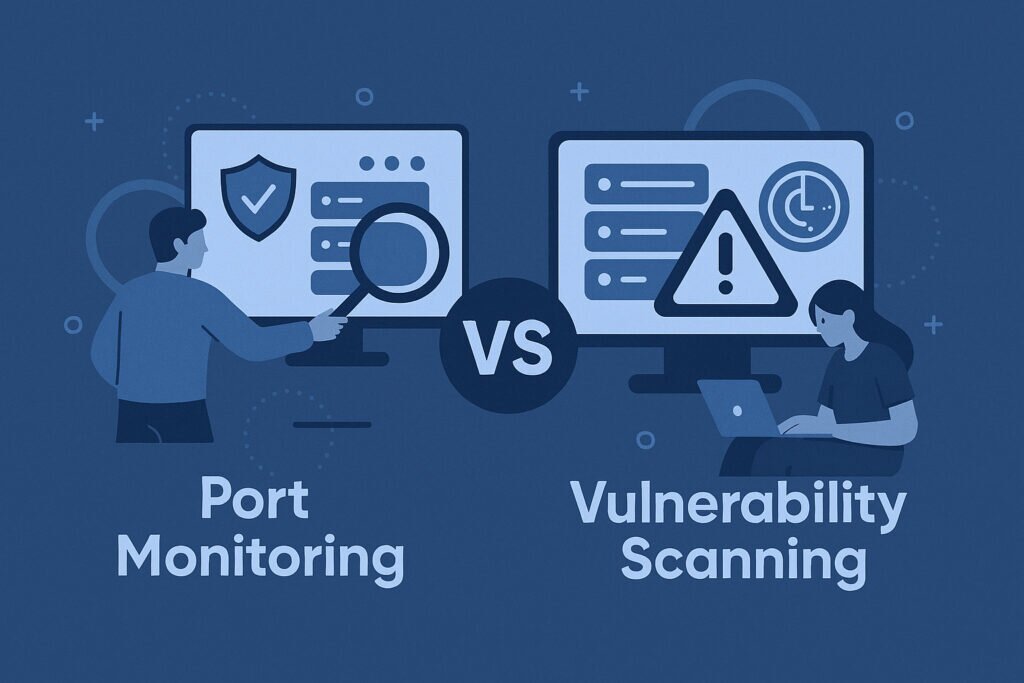
If you manage servers or oversee network security, you’ve probably seen both port monitoring and vulnerability scanning recommended as essential tools. They’re often mentioned in the same breath, sometimes even confused with each other. But they solve fundamentally different problems, and mixing them up creates blind spots that attackers love to exploit. This article breaks down the key differences between port monitoring and vulnerability scanning, when to use each, and why neither one replaces the other.
I’ve spent years watching security teams pour budget into one tool while completely ignoring the other. The result is almost always the same: something slips through that shouldn’t have. Let me walk you through what actually matters here.
What Port Monitoring Does — And What It Doesn’t
Port monitoring continuously watches your server’s public-facing ports. It answers one critical question: what’s exposed right now? Every open port is a door, and port monitoring tells you which doors are open, which just opened, and which just closed.
The value is in the word “continuous.” A developer deploys a test service on port 8080 on Friday afternoon and forgets about it. By Saturday morning, bots have already found it. Port monitoring catches that new open port within minutes and fires an alert before the damage is done.
What port monitoring typically won’t do is tell you what’s wrong with the services behind those ports. It sees the door, maybe identifies what’s standing behind it, but it doesn’t check whether the lock is broken.
What Vulnerability Scanning Actually Tells You
Vulnerability scanning goes deeper. It identifies the specific applications running on your ports, detects their versions, and cross-references those versions against CVE databases. The output isn’t just “port 22 is open” — it’s “port 22 is running OpenSSH 8.2p1, which has two known vulnerabilities rated CVSS 7.5 and above.”
This is powerful information. But vulnerability scans are heavier. They take longer to run, consume more resources, and are typically scheduled weekly or monthly rather than running every few minutes. That gap between scans is where problems hide.
A scan on Monday won’t catch the misconfigured Redis instance that appeared on Tuesday and got exploited on Wednesday. That’s not a flaw in vulnerability scanning — it’s just not what it’s built for.
Port Monitoring vs. Vulnerability Scanning: Scope, Depth, and Frequency
The simplest way to frame it:
Port monitoring is broad and fast. It covers your entire attack surface and updates frequently. It’s your early warning system.
Vulnerability scanning is narrow and deep. It analyzes specific services in detail but runs less often. It’s your risk assessment.
Frequency matters more than most people realize. Your port configuration can change in seconds — a container restart, a firewall rule update, an accidental binding to 0.0.0.0. Vulnerability databases update daily, but the services running on your infrastructure can shift minute to minute. Continuous port monitoring matches that pace. Scheduled vulnerability scans don’t.
The Myth That One Replaces the Other
Here’s the misconception I run into most often: “We already run vulnerability scans, so we don’t need port monitoring.” This is like getting a thorough health checkup once a quarter but never checking your blood pressure in between.
A real scenario: a sysadmin updates a Docker Compose file and accidentally removes the network binding restriction on a PostgreSQL container. Port 5432 is now exposed to the internet. The next vulnerability scan isn’t scheduled for five days. In those five days, automated scanners have already found the port, attempted default credentials, and — if the database had a weak password — exfiltrated data. Continuous port monitoring would have caught that exposure within minutes.
The reverse is also true. Port monitoring alone tells you port 443 is open, but it won’t flag that your Nginx version has a known buffer overflow vulnerability. You need both layers.
Practical Implementation: What to Set Up First
If you’re starting from scratch, get port monitoring running first. It’s faster to deploy, lighter on resources, and catches the most common problem: unexpected exposure. Configure it to alert immediately when a new port opens or an expected port disappears.
Then layer in vulnerability scanning on a regular schedule. Weekly works for most organizations. Critical production systems might justify daily scans. The key is to actually review and act on the results — I’ve seen too many teams run weekly scans and let the reports pile up unread.
Here’s what a reasonable setup looks like:
Port monitoring: external scans every 15–60 minutes, instant alerts on changes, covering all public IPs.
Vulnerability scanning: weekly deep scans, severity-prioritized reports, remediation tracked in a ticket system.
Think about how often you should scan your ports based on how dynamic your infrastructure is. A static two-server setup needs less frequent checks than a Kubernetes cluster spinning pods up and down all day.
Where PortVigil Fits In
PortVigil bridges part of this gap. It performs continuous external port scanning — so you get the always-on monitoring aspect — but it also identifies the applications and versions running behind each open port. That version detection lets you cross-reference against known vulnerabilities without waiting for a separate scan cycle.
It’s not a full replacement for a dedicated vulnerability scanner that tests for misconfigurations, injection flaws, or logic bugs. But it eliminates the most dangerous gap: the time between when a port opens and when someone notices.
FAQ
Can vulnerability scanning detect new open ports?
It can, but only when it runs. Since most vulnerability scans are scheduled weekly or monthly, new ports that appear between scans go undetected until the next cycle. That window is exactly where continuous port monitoring provides value — catching changes in minutes rather than days.
Is port monitoring enough for compliance requirements?
Most compliance frameworks like PCI DSS and SOC 2 require both regular vulnerability assessments and continuous monitoring of your network environment. Port monitoring alone covers the continuous monitoring aspect, but you’ll still need documented vulnerability scanning to meet audit requirements.
Do I need both if I only run a few servers?
Yes, arguably even more so. Large organizations usually have dedicated security teams that might catch misconfigurations manually. If you’re a small team managing a handful of servers, automated port monitoring is your safety net for the mistakes nobody’s watching for. Pair it with at least monthly vulnerability scans, and you’ll cover the essentials without a massive budget.