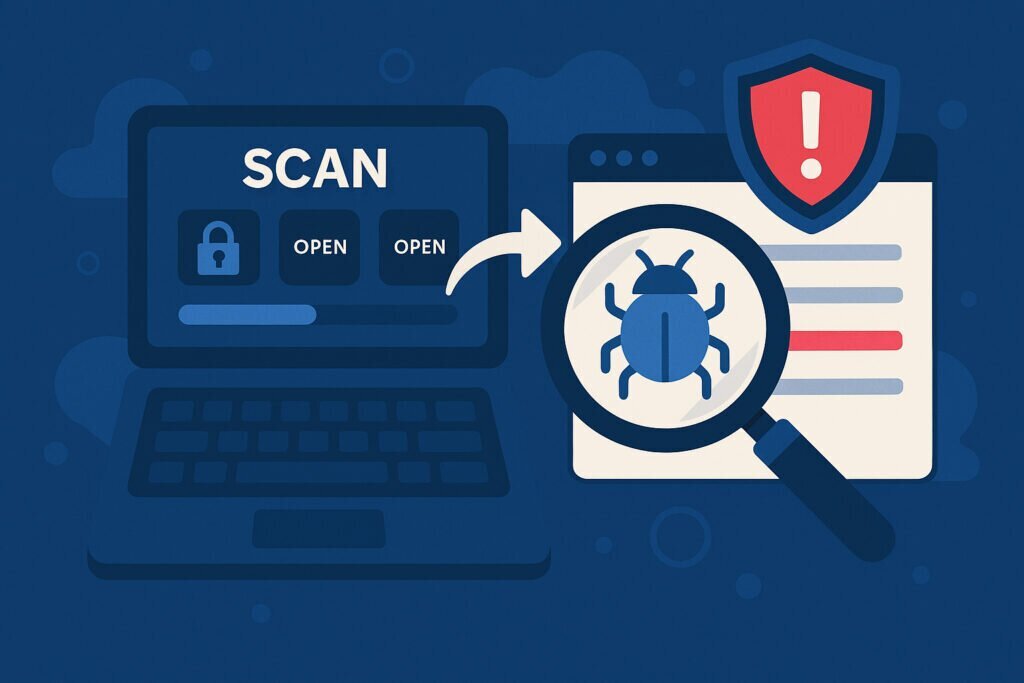
Running servers exposed to the internet means you’re constantly under surveillance. Automated scanners probe your infrastructure 24/7, looking for weaknesses. The difference between staying secure and getting compromised often comes down to one thing: knowing exactly what software versions you’re running and whether they contain known vulnerabilities.
Version detection isn’t just about inventory management. It’s about understanding your actual risk exposure before attackers do. When you know precisely which version of SSH, Apache, or any other service is listening on your ports, you can cross-reference that information against vulnerability databases and take action before exploitation occurs.
Why Version Information Matters More Than You Think
Every piece of software has a version number, and that version number tells a story. It reveals when the software was built, which features it includes, and most importantly, which security patches it’s missing. Attackers know this, which is why version detection is a standard part of their reconnaissance process.
Consider a server running OpenSSH 7.4. That specific version was released in 2016 and contains several known vulnerabilities, including CVE-2016-10009 and CVE-2016-10010. An attacker who identifies this version immediately knows potential attack vectors. Without version detection, you might assume your SSH service is secure simply because it’s running, unaware that you’re seven years behind on critical security updates.
The problem compounds when you manage multiple servers. I’ve seen situations where administrators believed their infrastructure was standardized, only to discover through systematic version detection that they were running five different versions of the same service across their network. Each version had different vulnerabilities, creating an inconsistent security posture that was nearly impossible to defend comprehensively.
How Version Detection Actually Works
Version detection operates through several technical mechanisms. The most straightforward method involves analyzing service banners. When you connect to many services, they voluntarily announce themselves with a banner containing version information. SSH servers typically greet connections with something like “SSH-2.0-OpenSSH_8.2p1 Ubuntu-4ubuntu0.5”, immediately revealing the exact version and operating system.
However, relying solely on banners is insufficient. Smart administrators often modify or suppress banners to reduce information disclosure. This is where behavioral fingerprinting becomes essential. Different software versions respond to requests in subtly different ways. They might handle malformed packets differently, support different protocol extensions, or exhibit unique timing characteristics.
Advanced version detection combines multiple techniques. It sends specific probes designed to elicit version-specific responses, analyzes protocol handshakes, examines TLS certificate details, and even measures response timing. By correlating these signals, you can often determine exact versions even when administrators have intentionally obscured banner information.
From Detection to Action
Identifying versions is only valuable if you act on that information. The workflow should be systematic. First, maintain a complete inventory of every service version across your infrastructure. Second, continuously compare this inventory against vulnerability databases like the National Vulnerability Database (NVD) or vendor-specific security advisories.
When a match occurs between your running version and a known vulnerability, you need to assess actual risk. Not every CVE represents the same level of danger to your specific environment. A vulnerability in a web server’s HTTP/2 implementation might be critical if you use HTTP/2, but irrelevant if you don’t have that protocol enabled.
I learned this lesson managing a cluster of web servers when the Heartbleed vulnerability was disclosed. Version detection immediately identified which servers were running affected OpenSSL versions. But we also discovered several servers running a compiled version that, while technically in the vulnerable version range, had actually been patched through backported fixes. Without detailed version detection, we might have wasted time patching already-secure systems or, worse, missed genuinely vulnerable ones.
The Hidden Services Problem
Version detection becomes particularly valuable for identifying services you didn’t know were running. Development teams sometimes install temporary services that become permanent. Previous administrators may have configured services that current staff aren’t aware of. Software packages often include multiple services, and not everyone realizes which ones are actually listening on network ports.
Comprehensive external port scanning combined with version detection creates visibility. You might discover that database server you thought was only accessible internally is actually listening on a public IP. Or that the printer management interface is running an ancient version of a web server with dozens of critical vulnerabilities.
Automation Is Non-Negotiable
Manual version checking doesn’t scale and becomes outdated immediately. New vulnerabilities emerge constantly. A service that was secure yesterday might be critically vulnerable today based on newly disclosed information. This reality demands automated, continuous version detection.
Effective automation means scanning your infrastructure regularly, maintaining a living database of service versions, and automatically correlating this data against vulnerability feeds. You need alerts when new vulnerabilities affect your running versions, not monthly reports that you review when you find time.
The automation should also track version changes over time. When did that SSH version get upgraded? Who changed the web server version? This audit trail becomes invaluable during incident response when you’re trying to determine whether a vulnerability was exploitable during a specific timeframe.
Beyond Just Patching
Version detection informs more than patch management. It guides configuration hardening, helps prioritize security investments, and supports compliance requirements. Many security frameworks require maintaining an accurate inventory of software versions, making systematic version detection not just good practice but often mandatory.
It also helps with capacity planning. Seeing which versions are approaching end-of-life allows you to plan upgrades proactively rather than scrambling when support expires. You can test newer versions in development environments while your production systems remain stable, then transition systematically.
Common Questions About Version Detection
Won’t version detection itself create security risks? Running scans against your own infrastructure is fundamentally different from allowing others to fingerprint your services. You’re using the same reconnaissance techniques attackers would employ, but applying that knowledge to improve security rather than exploit weaknesses.
Should I hide version information in banners? Banner obscurity provides minimal security benefit. Determined attackers will use behavioral fingerprinting regardless. Focus on actually patching vulnerabilities rather than hiding version numbers.
How often should I perform version detection? Continuously. Automated daily scanning provides reasonable coverage for most environments, with immediate scans after any infrastructure changes.
Understanding what’s really running on your network, down to specific version numbers, transforms security from guesswork into informed risk management. Version detection gives you the same visibility attackers seek, but lets you fix problems before they become breaches.