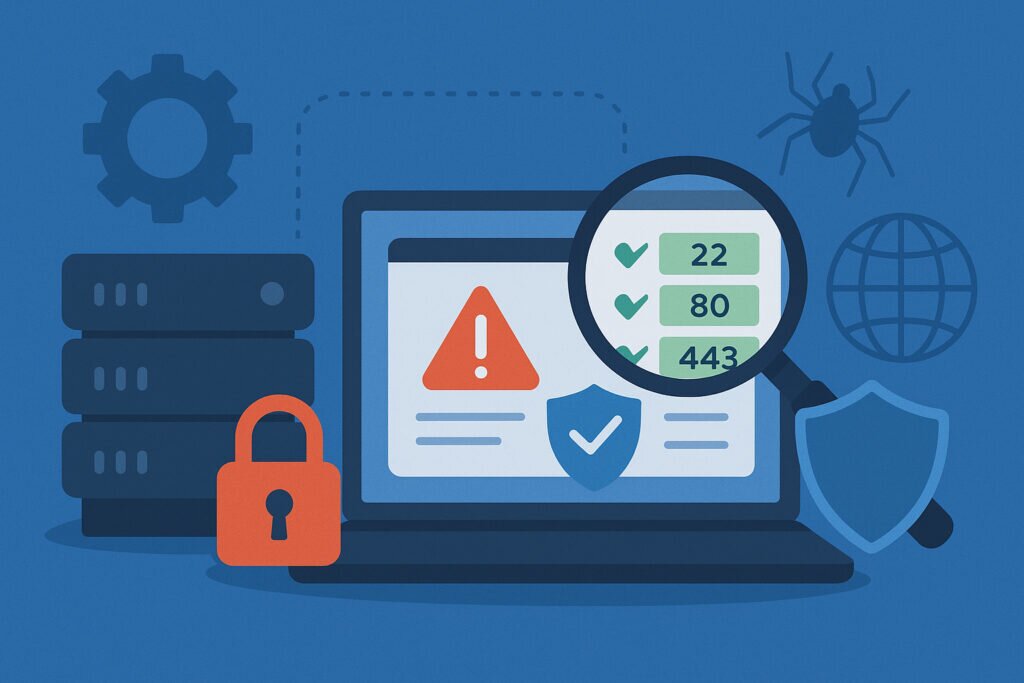
Here’s something that keeps me up at night: most companies have no idea what ports are actually open on their servers right now. I learned this the hard way a few years back when a client’s server got compromised through port 8080 – a development port that someone had opened for testing and simply forgot about. The attackers found it in minutes. That’s when I realized that automated port monitoring isn’t optional anymore – it’s how you prevent data breaches before they happen.
The Hidden Attack Surface Nobody’s Watching
Every open port on your server is like leaving a door unlocked. Some doors you need – like port 443 for HTTPS traffic. But many servers are running with dozens of unnecessary ports exposed to the internet, and most administrators only discover this during a breach investigation, not before. If you’ve never done a thorough inventory, you might be surprised by how many unnecessary open ports are lurking on your infrastructure.
The problem isn’t just about knowing which ports should be open. It’s about continuous visibility. A port that’s closed today might be open tomorrow after a software update, a configuration change, or when someone on your team installs a new service. Without constant monitoring, you’re essentially flying blind.
What Automated Port Monitoring Actually Does
Automated port monitoring works by continuously scanning your public IP addresses from an external perspective – exactly how an attacker would see your infrastructure. Instead of checking once and forgetting about it, the system runs regular scans to detect any changes in your attack surface.
The real value comes from three key capabilities. First, it identifies every single open port, not just the ones you expect. Second, it detects what services are actually running on those ports and their versions. Third, it cross-references this information against known vulnerabilities to assess your actual risk level.
I run these scans on my own infrastructure daily. Last month, this caught a MySQL port that had somehow become publicly accessible after a routine server update. Without automated monitoring, that database would have been exposed for weeks or months before anyone noticed.
From Detection to Prevention
The real power kicks in when you connect discovery to action. When automated monitoring detects an unexpected open port, you can respond within hours instead of months. This speed matters tremendously because attackers are constantly scanning the entire internet looking for vulnerable services.
Consider a typical scenario: your development team spins up a Redis instance for caching. By default, Redis binds to all interfaces. If your firewall rules aren’t perfectly configured, that Redis port might be accessible from the internet. Automated monitoring catches this the same day it happens, allowing you to lock it down before anyone exploits it.
The system also tracks changes over time. You can see exactly when new ports open, which services get updated, and how your attack surface evolves. This historical perspective is invaluable for understanding your security posture and proving compliance during audits. Setting up proper alerts for new open ports means you’re never caught off guard.
Real-World Impact on Data Breach Prevention
Data breaches almost always start with reconnaissance. Attackers scan for open ports, identify running services, and look for known vulnerabilities. Understanding what happens when hackers find your open ports makes the urgency clear – by continuously monitoring your own ports, you’re essentially seeing what attackers see, but you get to fix the problems first.
The statistics are sobering. The average time between a vulnerability being exploited and an organization discovering the breach is over 200 days. With automated port monitoring, that window shrinks to hours or days at most. You know immediately when something changes, and you can investigate before any damage occurs.
Beyond Just Port Numbers
Modern automated monitoring doesn’t stop at telling you that port 3306 is open. It identifies that MySQL 5.7.32 is running there, checks if that version has any known CVEs, and assesses the risk level. This is where version detection transforms raw data into actionable intelligence.
Some services announce their versions in banner grabs. Others require more sophisticated fingerprinting. Either way, knowing exactly what’s exposed helps you prioritize remediation. A publicly accessible MongoDB instance without authentication is an immediate crisis. An SSH port with key-based authentication and fail2ban? Much lower priority.
The Firewall Myth and Other Misconceptions
Here’s a myth I still hear constantly: “We have a firewall, so we’re covered.” No, you’re not. Firewall rules change, get misconfigured, or have exceptions added that never get removed. I’ve personally audited firewalls where temporary rules from two years ago were still active – rules nobody remembered creating.
Another common one: “Our cloud provider handles port security.” They don’t. AWS security groups, Azure NSGs, GCP firewall rules – they’re all your responsibility. The cloud provider gives you the tools, but the configuration and ongoing oversight are entirely on you.
And then there’s the classic small-business excuse: “We only have a few servers, manual checking is fine.” I’ve seen organizations with just three servers end up with dozens of unexpected open ports. Complexity creeps in faster than you think, especially with containerized applications and microservices.
Implementing Automated Port Monitoring
Start by identifying all your public IP addresses. This includes web servers, mail servers, VPN endpoints – anything internet-facing. Then establish a baseline of what ports should legitimately be open on each system.
Set up continuous scanning with a frequency that matches your risk tolerance. Daily scans work for most organizations. Configure alerts for any changes: new ports opening, services updating, or version changes. Make sure these alerts go to someone who can actually respond, not just a mailing list nobody reads.
Document your expected port configuration and treat deviations as security incidents requiring investigation. Even if a change is legitimate, it should go through your change management process, not appear as a surprise during a scan.
FAQ
How often should automated port monitoring scan my servers?
Daily scans are a solid baseline for most organizations. If you’re in a heavily regulated industry or running critical infrastructure, consider scanning every few hours. The key is consistency – a scan that runs reliably every day beats an aggressive schedule that keeps breaking.
Can automated port monitoring replace vulnerability scanning?
No – they complement each other. Port monitoring tells you what’s exposed and detects changes in your attack surface. Vulnerability scanning goes deeper, testing for specific exploits and misconfigurations within those services. Think of port monitoring as your early warning system and vulnerability scanning as the detailed inspection.
What should I do when monitoring detects an unexpected open port?
Treat it as a security incident. First, identify the service listening on that port. If it’s not supposed to be public-facing, close it immediately. Then investigate how it opened – was it a configuration change, a software update, or human error? Document the finding and update your baseline accordingly.
Automated port monitoring won’t prevent every data breach, but it closes one of the most commonly exploited attack vectors. It’s proactive security instead of reactive cleanup – and that shift alone can save you from becoming the next breach headline.