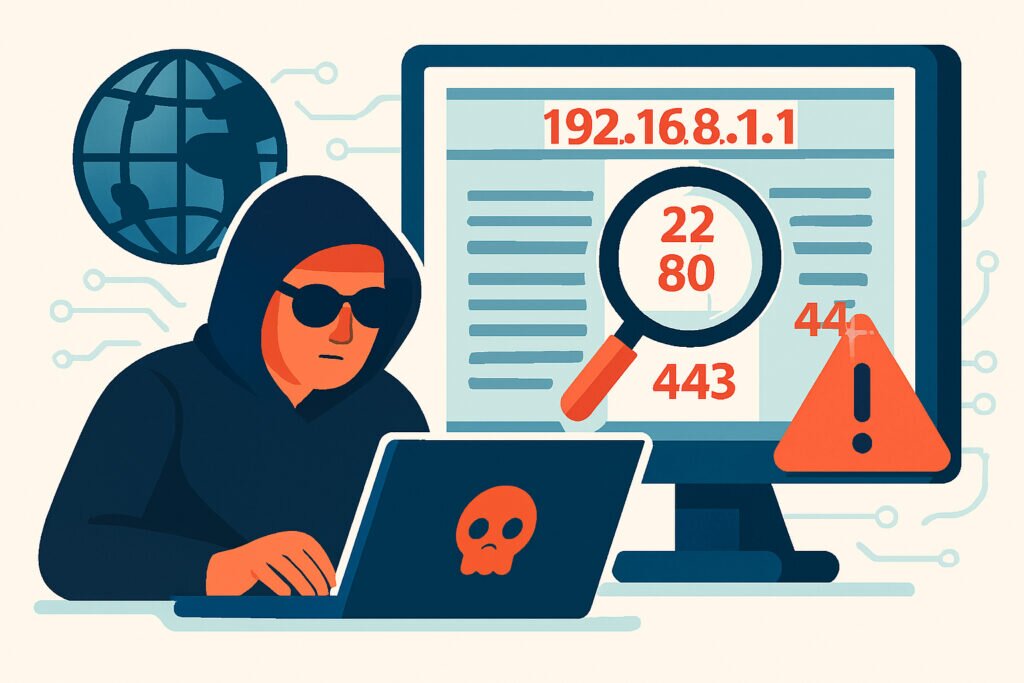
If you manage any server or network infrastructure, you’re constantly being scanned. Right now, as you read this, automated tools are probing your systems, looking for open ports and potential entry points. Understanding how attackers use port scanning during their reconnaissance phase isn’t just academic knowledge – it’s essential for protecting your infrastructure before a breach happens.
Why Port Scanning is the Foundation of Most Attacks
Think of port scanning as an attacker trying every door and window in your building to see which ones are unlocked. Before launching any sophisticated attack, hackers need to understand what’s exposed on your network. Port scanning gives them a detailed map of your infrastructure without requiring any special access or credentials.
The reconnaissance phase is where attackers gather intelligence about potential targets. They’re looking for services running on your servers, identifying software versions, and spotting potential vulnerabilities. Port scanning sits at the heart of this process because it reveals the attack surface – every open port is a potential entry point.
I remember when one of our monitoring systems detected unusual scanning activity targeting a client’s web server. Within hours, we saw targeted attacks against the specific services we’d identified as exposed. The attackers had moved from reconnaissance to exploitation in less than half a day. This taught me that reconnaissance isn’t a lengthy, drawn-out phase anymore – it can happen frighteningly fast.
Common Port Scanning Techniques Attackers Use
Attackers don’t just use one scanning method. They employ various techniques depending on their goals and how careful they need to be about detection.
TCP Connect Scans are the most straightforward approach. The scanner attempts to complete a full TCP handshake with each port. If the connection succeeds, the port is open. While this method is reliable, it’s also noisy and easily detected by security monitoring tools.
SYN Scans (also called half-open scans) are stealthier. The attacker sends a SYN packet but never completes the handshake. This technique is faster and less likely to be logged by applications, though modern intrusion detection systems can still spot it.
UDP Scans target UDP services, which are often overlooked in security configurations. Since UDP is connectionless, these scans are trickier to perform accurately but can reveal exposed DNS servers, SNMP services, or VoIP systems.
FIN, NULL, and Xmas Scans exploit quirks in how different operating systems handle unusual TCP packets. These techniques attempt to bypass basic firewall rules by sending packets that don’t fit normal connection patterns.
What Information Attackers Extract from Port Scans
A port scan tells attackers far more than just which ports are open. Modern scanning tools extract detailed information that helps them plan their next moves.
When a port responds, attackers typically perform service fingerprinting to identify exactly what application is listening. They’ll discover you’re running Apache 2.4.41, OpenSSH 7.6, or MySQL 5.7.38. Version information is gold for attackers because they can immediately check databases of known vulnerabilities for those specific versions.
Operating system detection is another key goal. By analyzing how your system responds to various packets, scanners can determine whether you’re running Windows Server, various Linux distributions, or other systems. Different operating systems have different vulnerabilities and exploitation techniques.
Attackers also look for patterns in your infrastructure. Are ports 80 and 443 open on multiple IP addresses? That suggests web servers. Port 3389 open? That’s RDP, commonly used for Windows remote administration. Port 22? SSH access to Unix systems. Each open port tells part of your infrastructure’s story.
The Reconnaissance Timeline
Modern reconnaissance happens in stages, and understanding this timeline helps you detect attacks earlier.
Initial broad scanning often targets entire IP ranges. Attackers or their automated tools scan thousands or millions of IP addresses looking for any response on common ports. This phase is like casting a wide net to see what’s out there.
Targeted scanning comes next. Once an attacker identifies a potentially interesting target, they perform more detailed scans. They’ll check more ports, try different scanning techniques, and spend more time gathering detailed information about your specific systems.
Service enumeration follows successful port identification. Attackers connect to open services and try to extract version banners, test for default configurations, or attempt basic authentication checks. They’re building a complete picture of your environment.
Vulnerability correlation is the final reconnaissance step before attack. Attackers take all the information they’ve gathered and cross-reference it with vulnerability databases, exploit frameworks, and their own experience to identify the weakest points.
Real-World Attack Patterns
In practice, port scanning appears in nearly every security incident. Ransomware groups scan for exposed RDP ports (3389) and weak credentials. State-sponsored actors look for vulnerable VPN endpoints. Cryptominers search for misconfigured Docker APIs or Kubernetes clusters.
One common misconception is that only targeted attacks involve reconnaissance. Actually, most compromises begin with automated, opportunistic scanning. Attackers use tools like Shodan or Censys to find vulnerable systems at scale, then their automated frameworks handle the initial exploitation.
Another myth is that scanning takes a long time. Modern scanning tools can check all 65,535 TCP ports on a target in seconds. Attackers don’t need days or weeks – they can complete reconnaissance in minutes.
Detection Challenges
The frustrating reality is that port scanning looks very similar to legitimate network activity. Security scanners, monitoring tools, and even search engines perform port scans constantly. Distinguishing malicious reconnaissance from normal internet background noise requires careful analysis.
Attackers also spread their scans across time and source IPs to avoid detection. Instead of one IP scanning all your ports in rapid succession, they might scan from dozens of IPs over several days. This distributed approach makes pattern recognition much harder.
How to Protect Against Reconnaissance
You can’t prevent port scanning entirely – it’s just part of being on the internet. But you can minimize what attackers learn and reduce your attack surface.
Close unnecessary ports. Every open port is a potential vulnerability. If you don’t need a service accessible from the internet, close it or restrict it to specific IP addresses.
Use service-specific firewalls. Don’t just rely on host firewalls. Web application firewalls, database firewalls, and network segmentation all add layers that make reconnaissance harder.
Monitor scanning activity. While you can’t stop scans, you should know when they’re happening. Unusual scanning patterns often precede attacks. Tools like PortVigil continuously monitor your external attack surface, identifying exactly what an attacker would see when scanning your infrastructure.
Hide version information. Configure your services to suppress version banners where possible. If attackers can’t determine your exact software versions, they have to try more exploits blindly, which increases their chances of detection.
Implement rate limiting. Even if you need services publicly accessible, rate limiting can slow down reconnaissance and make mass scanning less effective.
The Bigger Picture
Port scanning represents the beginning of the attack chain. By understanding how attackers use reconnaissance, you can shift your security posture from reactive to proactive. Instead of waiting for an exploit attempt, you can identify and close vulnerabilities during the reconnaissance phase, before attackers choose you as a target.
The key insight is this: anything an attacker can discover through port scanning, you should already know about your own infrastructure. If you’re surprised by what’s exposed, you can be certain attackers won’t be. Regular external port scans from your own security perspective help you see your infrastructure the way attackers do – and that visibility is essential for effective defense.