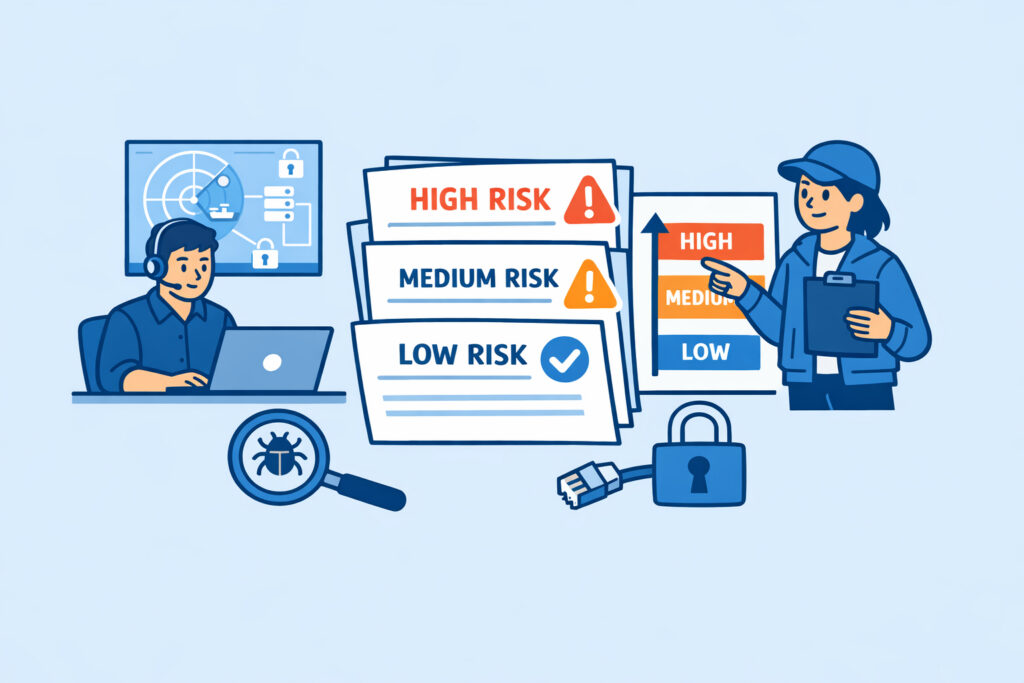
You’ve just run a port scan against your infrastructure and the results came back with dozens of open ports, several flagged services, and a mix of severity ratings. Now what? Knowing how to prioritize port security findings by risk level is the difference between fixing what actually matters and wasting a week hardening a service nobody can reach anyway. This guide walks you through a practical framework for triaging your scan results so you tackle the most dangerous exposures first.
Why Most Teams Get Prioritization Wrong
The instinct is to start closing ports from the top of the list and work your way down. I’ve seen sysadmins spend an entire afternoon locking down an internal monitoring dashboard on port 8080 while port 3389 sat wide open with RDP exposed to the internet – no rate limiting, no VPN requirement, running a two-year-old build. The monitoring dashboard was behind a VPN already. RDP wasn’t.
The problem isn’t a lack of data. It’s that raw scan output doesn’t tell you what to fix first. A port being open is not inherently a risk – it becomes one based on what’s listening, how it’s configured, who can reach it, and what damage a compromise would cause.
There’s a common myth here worth busting: not all critical-severity CVEs are equally urgent. A critical vulnerability on an internal-only service behind two layers of authentication is far less pressing than a medium-severity flaw on an internet-facing service with no access controls. Context beats severity scores every time.
A Practical Risk Prioritization Framework
When I triage port scan findings, I score each one across four dimensions. You don’t need a fancy spreadsheet – even a mental checklist works for smaller environments.
1. Exposure – Is this port reachable from the public internet, or only from internal networks? External-facing ports always rank higher. Tools like PortVigil run external scans specifically because that’s what attackers see. If a port only responds to your internal subnet, it’s still worth noting, but it drops in priority.
2. Service sensitivity – What’s actually listening? A database port (MySQL 3306, PostgreSQL 5432, MongoDB 27017) exposed to the internet is a different conversation than a static web server on port 443. Services that grant shell access (SSH, RDP, Telnet), store data directly, or allow remote code execution jump to the top of the list.
3. Vulnerability status – Is the service version current, or does it have known CVEs? A fully patched Nginx on port 443 is routine. An outdated OpenSSH build from 2023 with a known authentication bypass is an emergency. Version detection during scanning is what turns a list of open ports into an actionable risk report.
4. Business impact – If this service were compromised, what happens? A staging server with synthetic data is a nuisance. Your production payment gateway is a business-ending event. Factor in regulatory requirements too – PCI DSS, HIPAA, and similar frameworks have specific expectations about which ports can be open on systems handling sensitive data.
Turning Scores into Action Tiers
Once you’ve assessed each finding, group them into three tiers:
Tier 1 – Fix now (today). These are internet-exposed ports running vulnerable or sensitive services with high business impact. Examples: RDP open to the world, an unpatched database port, FTP with anonymous access on a production server. Drop everything and remediate.
Tier 2 – Fix this week. Externally reachable services that are reasonably patched but shouldn’t be exposed, or internally exposed sensitive services with weak access controls. A common example: an admin panel on port 8443 that’s only protected by a default password.
Tier 3 – Scheduled hardening. Low-risk findings that still deserve attention – services on non-standard ports that are patched and firewalled but could be closed entirely, or legacy services you’ve been meaning to decommission. Put these in your next maintenance window.
The key discipline is resisting the urge to fix Tier 3 items because they’re easy while Tier 1 items sit open because they’re complicated.
A Real-World Triage Walkthrough
Imagine your external scan returns these findings on a production web server:
Port 443 – Nginx 1.26, current version, valid TLS. This is expected. No action needed unless you spot a misconfiguration.
Port 22 – OpenSSH 8.2, three major versions behind, password authentication enabled. Tier 1. That version has known vulnerabilities, and password auth means it’s brute-forceable. Update immediately, enforce key-only authentication, and consider restricting source IPs.
Port 3306 – MySQL 8.0, listening on all interfaces. Tier 1. A database port exposed externally is almost never intentional. Bind it to localhost or your application server’s IP only.
Port 9090 – Prometheus metrics endpoint, no authentication. Tier 2. It’s leaking internal infrastructure details to anyone who finds it. Not an immediate compromise vector, but it hands attackers a map of your environment.
Port 21 – vsftpd, inactive but listening. Tier 2 or 3 depending on configuration. If you’re not using FTP, close it entirely rather than leaving it running for no reason.
This kind of triage takes fifteen minutes and completely changes your remediation plan compared to just reading the raw list top to bottom.
Keeping Prioritization Consistent Over Time
A one-time triage is useful. A repeatable process is what actually keeps you secure. Set up continuous external port monitoring so new exposures get flagged the moment they appear – not during your quarterly audit. When a new port shows up, run it through the same four-dimension framework before deciding whether it’s urgent or routine.
Document your legitimate open ports and their justifications. When a scan flags something unexpected, you’ll know instantly whether it’s a new deployment your colleague forgot to mention or an actual breach indicator.
Frequently Asked Questions
Should I always follow CVE severity scores when prioritizing?
No. CVE severity (CVSS) scores measure the theoretical impact of a vulnerability in isolation. They don’t account for your specific environment – network segmentation, access controls, or business context. A CVSS 9.8 on an air-gapped test machine is less urgent than a CVSS 6.5 on your public-facing payment server. Use CVSS as one input, not the final answer.
How quickly should Tier 1 findings be remediated?
Within hours, not days. If you’ve identified an internet-facing service with a known exploitable vulnerability and high business impact, treat it like an active incident. Even temporary mitigations – firewall rules restricting access, disabling the service – buy you time while you plan a proper fix. Attackers automate port scanning at massive scale, so the window between exposure and exploitation is often shorter than people expect.
What if I’m unsure whether a port should be open?
When in doubt, close it and wait. If something breaks, you’ll know within minutes and you’ve identified exactly what depends on that port. If nothing breaks, you’ve just reduced your attack surface for free. This approach is far safer than leaving unknown services running while you investigate.
The bottom line: effective port security isn’t about closing everything or fixing everything at once. It’s about knowing which open ports represent real, exploitable risk to your specific environment – and handling those first. A disciplined prioritization process turns overwhelming scan data into a focused action plan you can execute confidently.