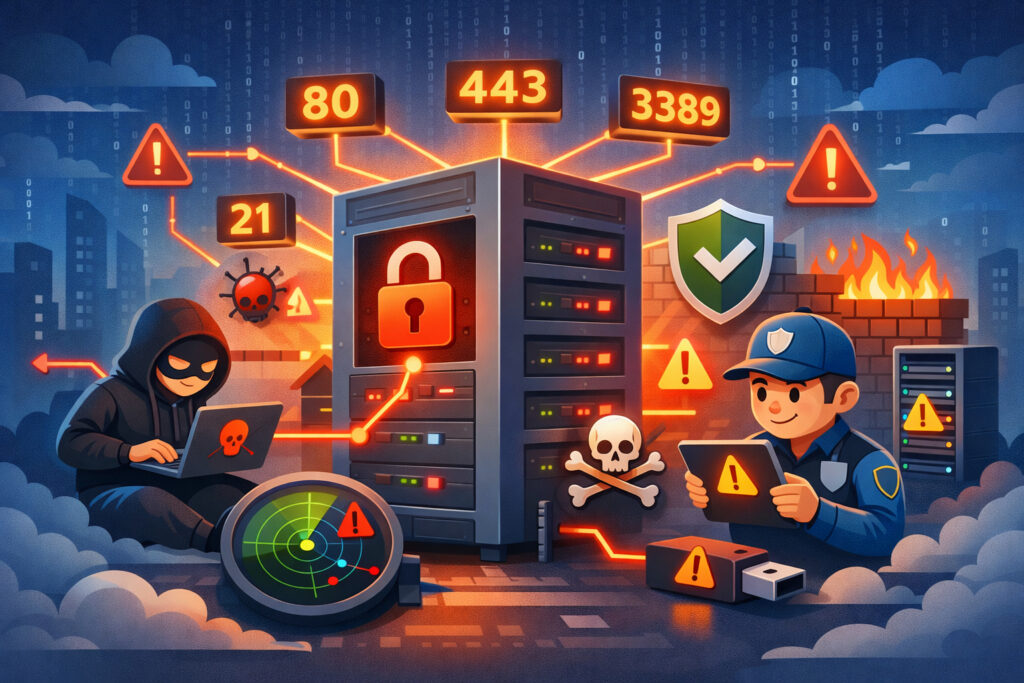
If you’re running services on their default ports — SSH on 22, MySQL on 3306, RDP on 3389 — you’re making life easier for every automated scanner on the internet. Understanding why default ports are a security risk isn’t about paranoia, it’s about recognizing how attackers actually work and taking practical steps to reduce your exposure. This article breaks down the real threat, busts a common myth, and gives you actionable steps to harden your setup.
How Attackers Exploit Default Ports
Every second of every day, bots sweep entire IP ranges looking for services on well-known ports. They don’t need to know anything about your server. They just knock on port 22, 3306, 80, 443, 3389, and a handful of others. If something answers, they log it and move on to the next phase — brute forcing credentials, fingerprinting the service version, or checking for known CVEs.
This isn’t theoretical. If you spin up a fresh VPS with SSH on port 22, check your auth log after 24 hours. You’ll see hundreds, sometimes thousands, of failed login attempts from IPs you’ve never heard of. That’s the baseline noise of the internet, and it’s all aimed at default ports.
The problem isn’t just brute force. When an attacker knows the port, they also know the likely service. Port 3306 means MySQL. Port 5432 means PostgreSQL. That context lets them skip straight to targeted exploits. A service running on a non-standard port at least forces an extra reconnaissance step, and understanding how attackers use port scanning in that reconnaissance phase is key to seeing why defaults hand them a shortcut.
The Myth: “Changing Ports Is Just Security Through Obscurity”
You’ll hear this constantly in forums: “Moving SSH off port 22 is pointless — it’s security through obscurity.” This is a dangerous half-truth.
Yes, changing ports alone won’t stop a determined attacker who’s specifically targeting your server. A full port scan will eventually find your relocated SSH daemon. But here’s what people miss: the vast majority of attacks aren’t targeted. They’re automated sweeps. Bots scan default ports because it’s efficient. Most of them never bother with a full 65535-port scan — it’s too slow and too noisy.
Moving a service off its default port eliminates roughly 90–95% of automated noise. That’s not “obscurity” — that’s a measurable reduction in attack surface. It’s one layer in a defense-in-depth strategy, not a replacement for authentication and patching. Anyone who dismisses it outright hasn’t spent enough time reading server logs.
Which Default Ports Carry the Most Risk
Not all default ports are equal. Some attract far more hostile traffic than others. The five ports hackers target first consistently include:
Port 22 (SSH) — the crown jewel. Remote shell access means full control if compromised. Brute force and credential stuffing attacks hit this port relentlessly.
Port 3389 (RDP) — Remote Desktop Protocol has been behind some of the worst ransomware incidents in recent years. Leaving RDP on its default port, exposed to the internet, is practically an invitation.
Port 3306/5432 (MySQL/PostgreSQL) — database ports should never be internet-facing at all, but misconfigurations happen. On default ports, they’re found instantly.
Port 21 (FTP) — still surprisingly common on legacy systems, and often running outdated software with known vulnerabilities.
Port 23 (Telnet) — unencrypted remote access. If this is open on your server in 2026, you have bigger problems, but bots still check for it.
What to Do: Practical Steps
Here’s what actually works in practice, beyond just changing port numbers.
1. Move services off default ports where feasible. SSH is the easiest win. Pick a high port (e.g., 48222), update your sshd_config, and restart. Your brute-force log entries will drop to near zero overnight. Just make sure you document the change and update your firewall rules before restarting — locking yourself out of a remote server is a bad afternoon. For a deeper dive, read about SSH port security beyond just changing port 22.
2. Close everything you don’t need. Run ss -tlnp or netstat -tlnp and audit every listening port. If you can’t explain why a port is open, close it. Disable the service or bind it to localhost if it only needs local access. This is the foundation of minimizing your server’s attack surface.
3. Use firewall allowlisting, not blocklisting. Default-deny is the only sane policy. Allow only the ports you explicitly need, from the IPs or ranges that need them. On a Debian server, iptables or nftables with a DROP default policy does this cleanly.
4. Implement rate limiting and fail2ban. Even on a non-default port, rate-limit connection attempts. Fail2ban watches your logs and auto-bans IPs after repeated failures. It’s simple to set up and dramatically effective against brute force.
5. Monitor continuously from outside. Internal checks don’t catch what attackers see. An external port scan — the kind PortVigil runs continuously — shows you your server the way the internet sees it. If a new port opens because of a misconfiguration or a rogue process, you want to know about it in minutes, not months.
6. Keep services updated. A service on a non-standard port running a two-year-old version with known CVEs is still vulnerable. Port relocation buys you time; patching keeps you safe.
A Scenario You’ll Recognize
A sysadmin sets up a staging server in a hurry. They install PostgreSQL for testing, bind it to 0.0.0.0 on port 5432 with a weak password because “it’s just staging.” They forget about it. Six weeks later, the server shows up in Shodan, somebody dumps the database, and the staging data turns out to contain a copy of production customer records. The port was default, the credentials were weak, and nobody was watching.
This happens more often than anyone admits. Staging and dev environments are where default ports cause the most damage, precisely because people let their guard down.
FAQ
Does changing a port actually improve security, or is it just hiding?
It measurably reduces automated attack traffic. It’s not a substitute for strong authentication, firewalling, or patching, but it’s a valid layer in a defense-in-depth approach. Dismissing it as “just hiding” ignores how the majority of internet attacks actually work.
Which ports should I prioritize changing first?
Start with SSH (22), then RDP (3389) if applicable. Database ports (3306, 5432) should ideally not be internet-facing at all — bind them to localhost or a private network interface instead of just moving them.
How do I know if I have unexpected ports open right now?
Run ss -tlnp locally for a quick check, but that only shows what the OS knows. An external scan from a service like PortVigil reveals what the internet actually sees — including ports opened by firewall misconfigurations, cloud security group errors, or NAT rules you forgot about.
Default ports aren’t inherently broken, but they’re the first thing every scanner checks. Move what you can, close what you don’t need, firewall the rest, and monitor from the outside. That combination turns your server from low-hanging fruit into a hard target.