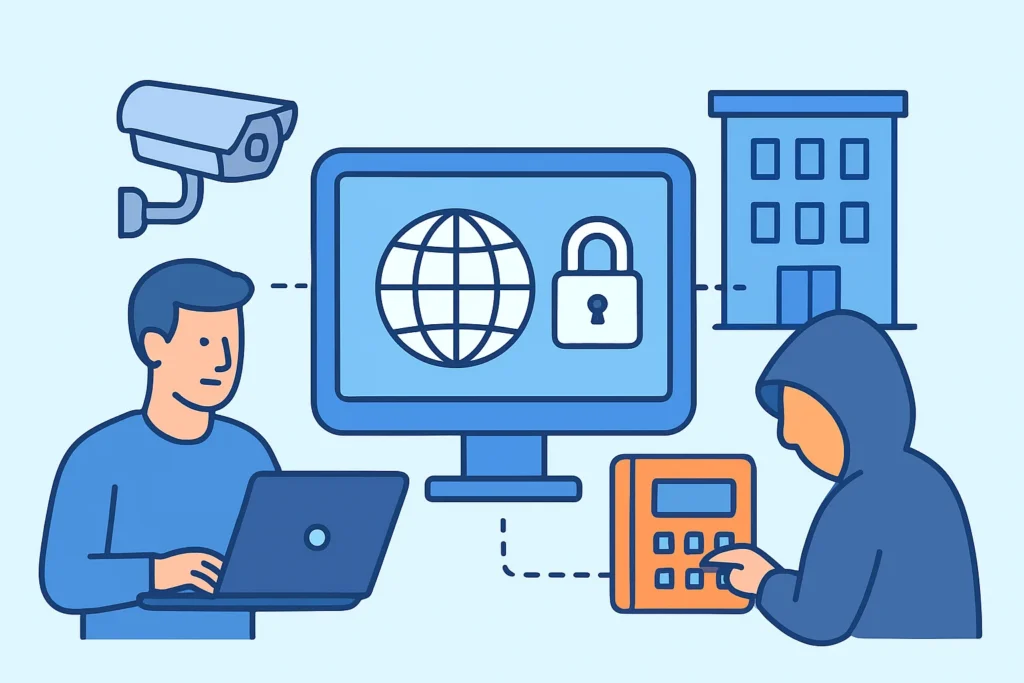
A building automation system reachable from the internet is often a forgotten HVAC controller, lighting gateway or access panel that a contractor exposed so they could do remote maintenance. For anyone responsible for a facility’s network, building automation systems reachable from the internet are among the riskiest kinds of exposure: they run old protocols with no authentication, they control physical equipment, and nobody on the IT team tends to own them. This article covers how these systems end up exposed, how to find them with an external scan, and how to remove them from the public internet without leaving facilities staff unable to work.
Why Building Controllers Show Up on Public IPs
Building management systems (BMS) were designed for isolated serial networks. BACnet, Modbus and LonWorks expected a trusted wire running between a supervisor and its field controllers. When those protocols moved onto IP, the trust model stayed the same. BACnet/IP and Modbus TCP have no authentication in their base specifications. Anyone who can reach the port can read setpoints and, in many deployments, write them.
The exposure usually comes from a commercial decision, not a technical one. An HVAC integrator signs a service contract that includes remote monitoring. Their technician installs a Tridium Niagara JACE or a Siemens Desigo controller and adds a port forward on the building’s router so they can reach it from the office. Sometimes they install their own 4G router instead. Months later, nobody remembers that this path exists. The pattern is the same one described in third-party vendor access and inherited exposure: you inherit the risk without ever seeing the configuration.
Ports and Protocols That Give a BMS Away
An experienced penetration tester working on a building network starts with a short list of ports. These are the ones that come up most often in external scans:
47808/udp – BACnet/IP (0xBAC0), the most common BMS protocol worldwide. 502/tcp – Modbus TCP, used by energy meters, chillers and PLCs. 1911/tcp and 4911/tcp – Niagara Fox and Fox over TLS, used by Tridium JACE and Niagara supervisors. 3671/udp – KNXnet/IP, common in European commercial and residential buildings. 1628-1629/udp – LonWorks/IP channel traffic.
The web interfaces on 80, 443 and sometimes 8080 matter just as much. A Niagara Workbench login page or an embedded controller’s HTTP interface tells an attacker exactly what’s behind the IP and which firmware family it runs. Service detection that captures banners and versions turns “something on port 1911” into “Niagara 4.x station, model JACE-8000,” which can then be checked against published ICS advisories from CISA.
The UDP Blind Spot in External Scans
This is where many scans fail without anyone noticing. BACnet and KNX run over UDP, and both stay silent when they receive a generic empty probe. A plain nmap -sU sweep reports 47808 as “open|filtered,” and most reports quietly drop that result.
To get a definite answer you need a probe that speaks the protocol. Nmap’s bacnet-info NSE script sends a ReadProperty request and returns the vendor ID, firmware revision, object name and often the physical location string that the integrator typed in. modbus-discover and fox-info do the same for their protocols. If a scanning tool doesn’t send protocol-specific payloads, a missing BACnet result does not mean the port is closed. For the broader mechanics, see TCP vs. UDP port risks.
A Realistic Discovery Scenario
A mid-sized office building passes its annual penetration test because the test covered only the corporate IP range. The following spring, an external scan of the building’s second ISP circuit, the one that “only runs the elevators and HVAC,” finds 47808/udp and 1911/tcp open. The BACnet response names the device “AHU-ROOF-2” and gives its firmware date as 2017.
Nobody in IT knew that this circuit had a public IP. The integrator had set up port forwarding during commissioning in 2019 and never removed it. Fixing it took about 40 minutes: delete the forward, put a WireGuard tunnel in place for the integrator, and rescan to confirm the result. Finding it had taken five years.
Myth: “It’s Just HVAC – Nobody Cares”
The common reasoning is that attackers want databases and credentials, not thermostat setpoints. That’s wrong in two ways. First, a BMS controller is a networked computer, often running embedded Linux or an old Windows supervisor. Once compromised, it becomes a pivot point. The 2013 Target breach began with network credentials stolen from an HVAC contractor, and that remains the standard example of this path.
Second, the physical impact is real. In November 2016, a DDoS attack in Lappeenranta, Finland, disrupted the heating controllers in residential buildings. The systems kept rebooting and stopped heating while outdoor temperatures were below freezing. Server rooms, cold storage and laboratory freezers face the same risk if someone changes setpoints.
Common Mistakes When Securing Exposed BMS
The most frequent mistake is assuming the corporate firewall covers the building. Facilities equipment often has its own ISP connection, its own cellular router or a DSL line that predates the current IT team. External port scanning has to cover every public IP the organization pays for, not just the ranges in the IT asset register.
The second mistake is blocking the port but leaving the BBMD wide open. BACnet Broadcast Management Devices can accept “foreign device registrations” from any IP. If the BBMD’s broadcast distribution table isn’t restricted, a remote host can register and receive broadcast traffic from the whole BACnet internetwork.
The third is treating a one-time fix as permanent. Integrators come back for retrofits, and every visit is a chance for a new port forward to appear. Older controllers also tend to stay in service long after vendor support ends, which is the technical-debt problem covered in legacy systems and open ports.
Steps to Take Building Automation Off the Internet
A seasoned OT security engineer works in this order. First, list every public IP and circuit tied to each building, including cellular modems on rooftop units. Second, scan those addresses from outside with protocol-aware probes for 47808, 502, 1911, 4911 and 3671, and record the vendor and firmware from each response. Third, remove the direct exposure. Delete the port forwards and replace them with a VPN or a jump host that requires MFA and logs each session. Fourth, segment the BMS onto its own VLAN with an allowlist firewall facing the corporate network, following ISA/IEC 62443 zone-and-conduit principles. Fifth, rescan to confirm the result, then keep scanning on a schedule so you see new exposure within days rather than years.
There are exceptions. Some cloud-managed platforms legitimately need outbound connectivity to the vendor’s cloud, but they should never need inbound. If a vendor insists on inbound access, ask for BACnet Secure Connect (BACnet/SC), which wraps traffic in TLS over WebSockets with certificate authentication. In small buildings without dedicated IT staff, a managed router with a vendor VPN is a realistic middle ground. Exposing the raw protocol never is.
FAQ
Is changing the BACnet port from 47808 enough to hide it?
No. Internet-wide scanners such as Shodan and Censys send BACnet probes across many ports, and the protocol identifies itself in its response. A non-default port slows down only the laziest automated scans.
Can a firewall safely allow BACnet from the integrator’s static IP only?
It’s better than open access, but it’s still fragile. Source-IP allowlists break when the integrator changes ISP, and UDP source addresses can be spoofed for write requests that don’t need a reply. A VPN with per-user authentication is the stronger choice.
How often should building systems be scanned externally?
At least weekly, and immediately after any contractor visit or retrofit. Exposure in BMS environments usually appears on the day a technician is on site.
Summary
Building automation systems are exposed because the protocols trust the network and the people who install them need remote access. Find every public IP connected to the building, scan it with BACnet, Modbus, Fox and KNX probes rather than generic UDP sweeps, and replace port forwards with authenticated VPN access. Then keep scanning, because the next integrator visit can open the same port again.