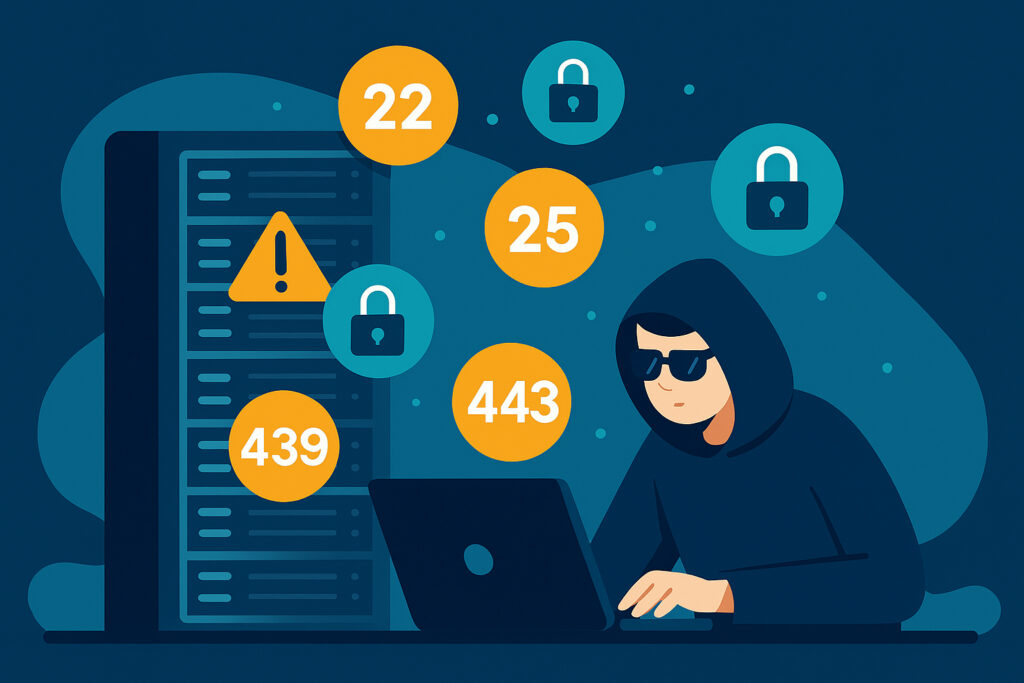
I’ve been running servers for years, and if there’s one thing I’ve learned the hard way, it’s that hackers aren’t creative when they first probe your infrastructure. They follow patterns, and they always check the same ports first. Understanding which critical ports hackers target first can literally save your business from a devastating breach.
Why Port Security Should Be Your First Priority
When you expose a server to the internet, you’re essentially opening doors to your digital house. Every open port is a potential entry point, and hackers have automated tools that scan millions of IP addresses daily, looking for vulnerable services. The scary part? Most successful attacks happen through ports that administrators simply forgot to secure or didn’t even know were open.
Last year, I watched a client’s database server get compromised within 48 hours of going live. The culprit? An unnecessarily exposed database port they hadn’t noticed during setup. It was a painful reminder that port security isn’t optional—it’s fundamental.
Port 22: SSH – The Crown Jewel
SSH (Secure Shell) on port 22 is the number one target for attackers, and for good reason. It provides complete command-line access to your server. If hackers crack your SSH credentials, they own your entire system.
The attacks on port 22 are relentless. Brute force attempts, dictionary attacks, and credential stuffing happen continuously. I’ve seen server logs with thousands of failed login attempts per day, all automated bots trying common username-password combinations like “root/password” or “admin/admin123.”
Here’s what you need to do: Change SSH to a non-standard port, disable root login completely, implement key-based authentication instead of passwords, and set up fail2ban to block repeated failed attempts. These steps alone will eliminate 99% of automated attacks. For a deeper dive into hardening SSH, check out our guide on SSH port security beyond just changing port 22.
Port 3389: Remote Desktop Protocol (RDP)
If you’re running Windows servers, RDP on port 3389 is a massive target. Ransomware groups love exploiting weak RDP configurations because it gives them the same graphical interface you use to manage your server.
The problem with RDP is that many administrators leave it wide open with default settings. Attackers scan for exposed RDP ports, then launch brute force attacks or exploit known vulnerabilities. Once inside, they can install ransomware, steal data, or use your server as a launching pad for other attacks.
Never expose RDP directly to the internet. Use a VPN for remote access, implement network-level authentication, enforce strong password policies, and enable account lockout after failed attempts. Better yet, consider using alternative remote management tools that don’t have RDP’s notorious security history. We’ve covered this topic in detail in our article on protecting RDP ports.
Port 3306: MySQL Database
MySQL’s default port 3306 should never be accessible from the public internet, yet I constantly see production databases exposed this way. It’s mind-boggling.
Hackers scan for open MySQL ports because databases contain the crown jewels: customer data, credentials, financial information. Once they find an exposed database, they attempt default credentials, known exploits, or SQL injection techniques to gain access.
I once consulted for an e-commerce site that had their MySQL port open to the world. They thought their firewall was protecting them, but a misconfiguration meant anyone could attempt to connect. We discovered this during a routine security audit—thankfully before hackers did.
Bind MySQL to localhost only (127.0.0.1) so it only accepts connections from applications on the same server. If you absolutely need remote database access, use SSH tunneling or a VPN. Configure strong passwords, disable remote root access, and regularly review user permissions. For more on securing database ports including PostgreSQL and MongoDB, see our database port security guide.
Port 21: FTP – The Legacy Problem
FTP (File Transfer Protocol) on port 21 is outdated and fundamentally insecure, but countless servers still run it. The protocol transmits credentials in plain text, making it trivial for attackers to intercept usernames and passwords.
Hackers target FTP because it often provides access to website files, configuration files, or sensitive documents. Anonymous FTP configurations are particularly dangerous, sometimes allowing anyone to upload malicious files to your server.
Replace FTP with SFTP (SSH File Transfer Protocol) or FTPS (FTP Secure) immediately. These encrypted alternatives provide the same functionality without broadcasting your credentials. If you must keep FTP running for legacy reasons, restrict it to specific IP addresses and implement strong authentication. We go deeper into why these legacy protocols are still a risk in the hidden risks of FTP and Telnet ports in 2026.
Port 80 and 443: Web Services
HTTP (port 80) and HTTPS (port 443) need to be publicly accessible for websites, but they’re still major attack vectors. Hackers probe these ports looking for vulnerable web applications, outdated CMS installations, or misconfigured services.
While you can’t close these ports if you’re running a website, you must harden them. Keep all web applications updated, use a web application firewall, implement rate limiting to prevent DDoS attacks, and monitor for unusual traffic patterns. Disable unnecessary HTTP methods and directory listings that leak information about your server structure.
The Continuous Monitoring Reality
Here’s the uncomfortable truth: securing ports isn’t a one-time task. New vulnerabilities emerge constantly, configurations drift over time, and automated attacks never sleep. I’ve seen servers that were properly secured become vulnerable months later because an update exposed a new service or a configuration change accidentally opened a port.
This is exactly why automated port monitoring prevents data breaches—catching changes before attackers do. Knowing which ports are exposed and what services are listening is fundamental security hygiene.
FAQ
Which single port is the most dangerous to leave open?
Port 22 (SSH) is generally the most dangerous because it provides full command-line access to your server. A compromised SSH port means total system takeover. That said, any open port running an unpatched service is a serious risk.
Can I just change default port numbers to stay safe?
Changing default ports (like moving SSH from 22 to something else) helps against automated scans, but it’s not real security—it’s security through obscurity. Determined attackers will find non-standard ports quickly. Always combine port changes with strong authentication, firewalls, and continuous monitoring.
How often should I check which ports are open on my servers?
At minimum, scan after every configuration change, software update, or new deployment. Ideally, use continuous external port monitoring so you’re alerted immediately when an unexpected port appears. Monthly manual scans are not enough in today’s threat landscape.
Take Action Today
Run a port scan on your own servers right now. You might be surprised at what you find. Use tools like nmap or online port scanners to see what’s visible from the outside. Every unnecessary open port is a liability.
Close everything you don’t absolutely need, move critical services behind VPNs or firewalls, and implement strong authentication everywhere. Your future self will thank you when you’re not dealing with a breach at 2 AM.